Welcome

Welcome to Perry High
Honors Applied Programming in Python

Please come in, find a computer, and log in.

Usernames123456(your student ID)
PasswordSame as last year
If you're new to the district, your password is your date of birth (mmddyy) plus your lowercase first and last initials plus an exclamation point: 012510jd!
Getting Set Up

Password Rules

  • Minimum length of at least 8 characters
  • At least 1 special character
  • At least 1 upper case character
  • At least 1 numeral
  • No character repeated more than twice consecutively
  • No 5 consecutive characters carried over from your old password
  • At least 1 lower case character
Course Info

Honors Applied Programming in Python

TeacherMr. Dahlem
Websitecusd80phs.agilixbuzz.com
Office Hours2:30–3:30 M–F, or by appointment

Go ahead and open up Google Classroom.

Getting Set Up

Set Chrome as Your Default Browser

To make sure things run smoothly, we need to make sure Chrome is set as the default browser for your computer.

  1. 1
    In the search bar at the bottom of your screen, type default browser Windows taskbar search bar with 'default browser' typed in.

  2. 2
    In the menu that appears, select Choose a default web browser Search result menu item: Choose a default web browser, under System settings.

  3. 3
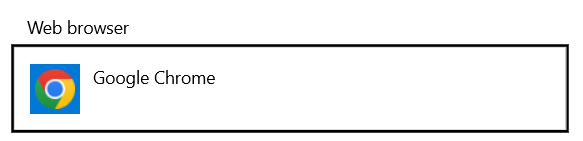
    Make sure Google Chrome is your default web browser Web browser selector showing Google Chrome selected as the default.
Getting Set Up

Bookmark Your Buzz Course

First, we need to make sure you can access one site we will be using all year.

  1. 1Click here to go to Buzz
  2. 2Click the Login button, then sign in with your 'gse' account
  3. 3Click the star (★) in the URL bar to bookmark this site. You'll need it every day.
The Syllabus

Equipment Usage Agreement

Students will receive training for the proper use and care of all equipment. While a student uses school equipment, they are responsible for its care. If school equipment is damaged, lost, stolen, or destroyed under a student's care, that student and their family are responsible for the replacement or repair cost of the damaged equipment.

Expectations

Student Responsibilities 1 / 2

To succeed in this course and support a positive classroom environment, students are expected to:

  • Log in promptly upon arrival. Use your assigned computer and be ready to begin the day's activities.
  • Be on time. You must be inside the classroom and preparing for class when the bell rings. Students entering after the bell will be marked tardy.
  • Show respect for others' ideas, personal space, and property. Disrespectful comments or actions will not be tolerated.
  • Pay attention to whoever has the floor, whether it's the teacher or a fellow student. This includes silencing distractions, including your computer, during discussion or instruction.
  • Meet deadlines. Assignments should be submitted on time unless prior arrangements are made.
Expectations

Student Responsibilities 2 / 2

To succeed in this course and support a positive classroom environment, students are expected to:

  • Support the learning environment. Participate actively, stay on task, and help maintain a productive and inclusive atmosphere.
  • Take responsibility for absences. If you miss class, review the posted materials and complete any missed work. You are responsible for learning the content covered that day.
  • Do your own work. Your grade reflects your own learning, not someone else's and not an AI's. Plagiarism in any form will result in a zero on the assignment.
  • Collaboration is valued in this course. You're encouraged to support one another when facing challenges, just be sure to give credit where credit is due, and make sure all submitted work reflects your individual understanding.
Policies

Late Work

Late work is generally not acceptable. Assignments are expected to be submitted on time to receive full credit. Most assignments are submitted online; failure to submit on time will impact your score.

  • Assignments not submitted by the due date may lose up to 10% per day.
  • Assignments more than one week late will not be accepted for a grade.
  • Printer issues will not be accepted as an excuse.
Policies

Late Work: Absences

If you are absent on the day an assignment is due:

  • Unexcused absences may result in a zero for any work due that day.
  • For excused absences, you have one week from the date of return to make up missed assignments or schedule any required make-up assessments. It's your responsibility to check what you missed and follow up.
  • Class presentations and materials are available online. If you miss class, review the presentation and complete any activities included, then email or ask in class the following day if you have questions.
Policies

Grading

Grades for each semester are calculated using points, split across four weighted categories:

30%
Core Work
Classwork & projects. A mix of daily work and practice activities; early assignments build foundations, later projects let you apply skills creatively.
35%
Authentic Assessments
In-class opportunities to show what you can do: quizzes, coding challenges, debugging tasks, explanations, demonstrations, or brief teacher conferences.
15%
Participation & Professionalism
Weekly points for showing up ready to contribute, staying on task, respecting others, and helping maintain a productive classroom.
20%
Final Exam or Project
A required cumulative exam or project that shows how far you've come. May include written components, timed tasks, or a final portfolio.
Policies

Semester Grades

Semester grades are calculated 80/20: the two quarters together account for 80% of the semester grade, and the final exam accounts for the remaining 20%.

Quarters · 80%
Final · 20%
Policies

PHS Cell Phone Policy

  • Cell phones are permitted on campus during school hours, but must be used according to the CUSD Bring Your Own Technology Agreement (BYOT).
  • In classrooms, cell phones must be stored in backpacks or in the classroom phone caddy.
  • During class time, phones may be used at the discretion of the teacher for educational purposes. Texting, taking pictures or video, social media, games, or other non-educational use is not permitted.
  • Students may not take cell phones when leaving the classroom.
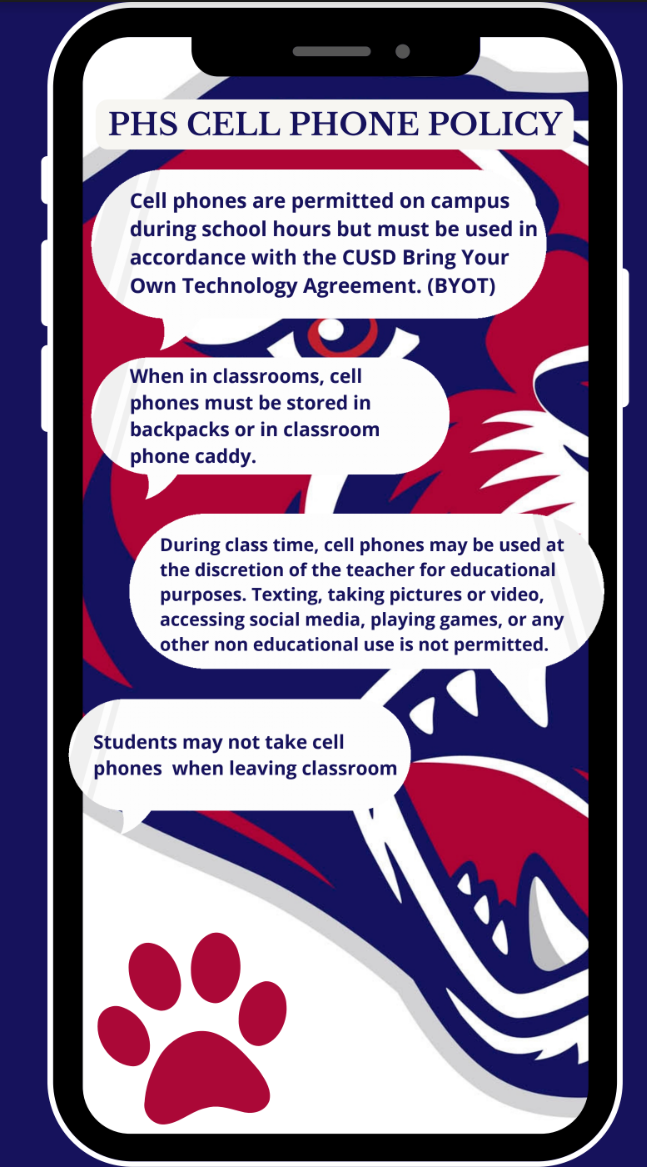
PHS cell phone policy graphic: phones permitted on campus under the BYOT agreement, stored during class, used only at teacher discretion, and not taken when leaving the classroom.
The Syllabus

Turn In Your Signature Page

Have your parents sign the signature page, then we'll turn it in on Buzz on Friday.

Honors Applied Programming in Python First Semester Syllabus Signature Page