Unit 1 · Lesson 7

Black and White Images

FRQ · Warm-Up

Tracking a Package

You recently did some online shopping and are expecting a package to arrive in about a month. The delivery service has a tracking system which reads the location of the package.

How often would you want the location read? Every week? Every day? Every hour? Every minute? Explain why.

🧰 Black and White Images

A New Tool

We're going to jump right into using a new tool. The next slide contains a video which explains this tool.

Video

Intro to the B&W Pixelation Widget

Updates

The Widget Has Changed a Little

The video is a little outdated. You no longer set the width and height of the image by adding two bytes of data at the beginning. You just need to set the size of the image using the sliders.

The only data you need to type are the 0s and 1s for the pixels.

Code.org

Practice with the Pixelation Widget

Follow this link to code.org. Practice with the pixelation widget on dots 1 & 2.

Check the pop-up: it describes the exact image you need to build. Closed it by accident? Click the paragraph under the image preview to bring it back.
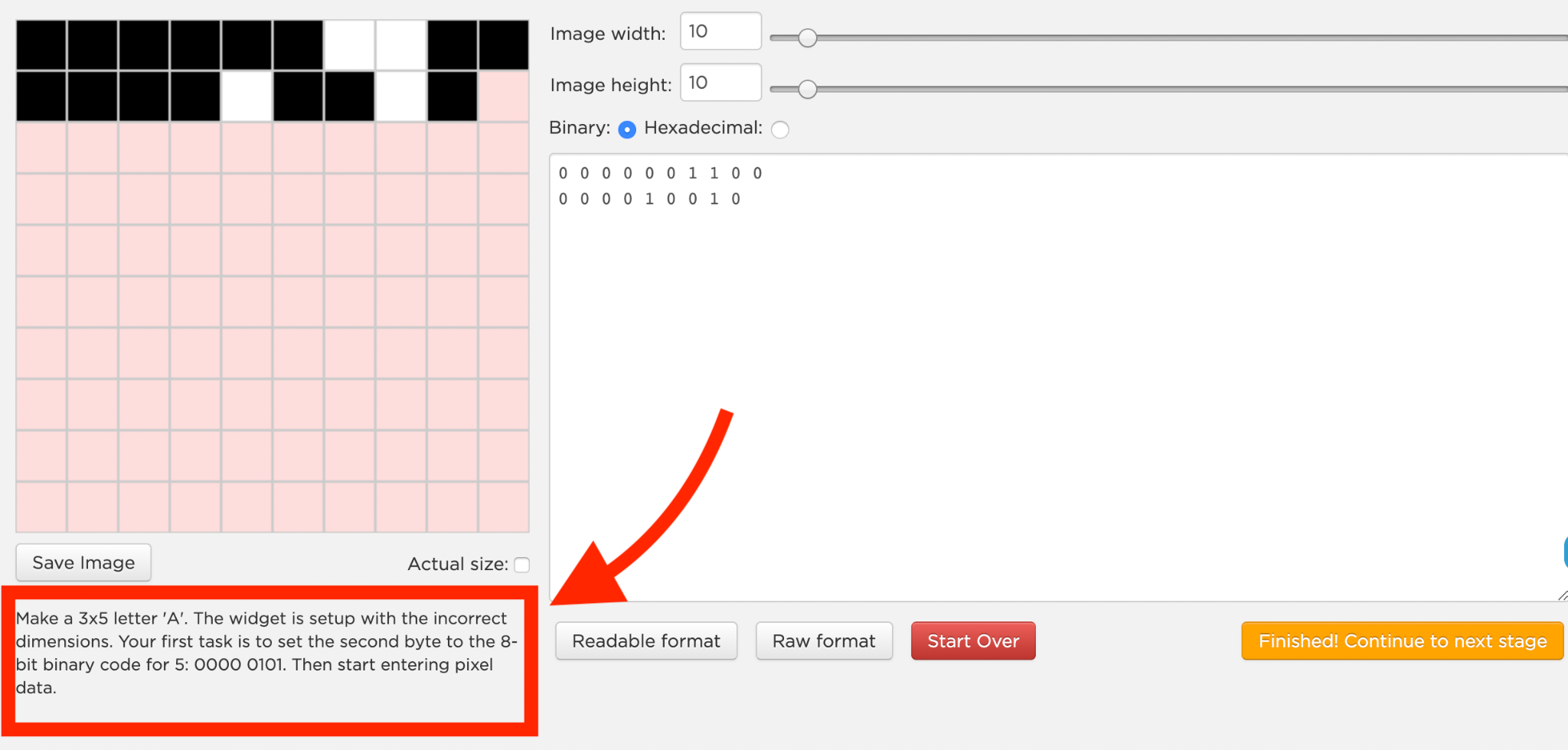
B&W Pixelation Widget set up to build a 3 by 5 letter A, with the image width and height sliders, a binary pixel grid, and the raw binary data 0000011000 0000100100 shown in the data box
Challenges A (Dot 3) & B (Dot 4)

Keep going...

Sample the Bird, Bit by Bit

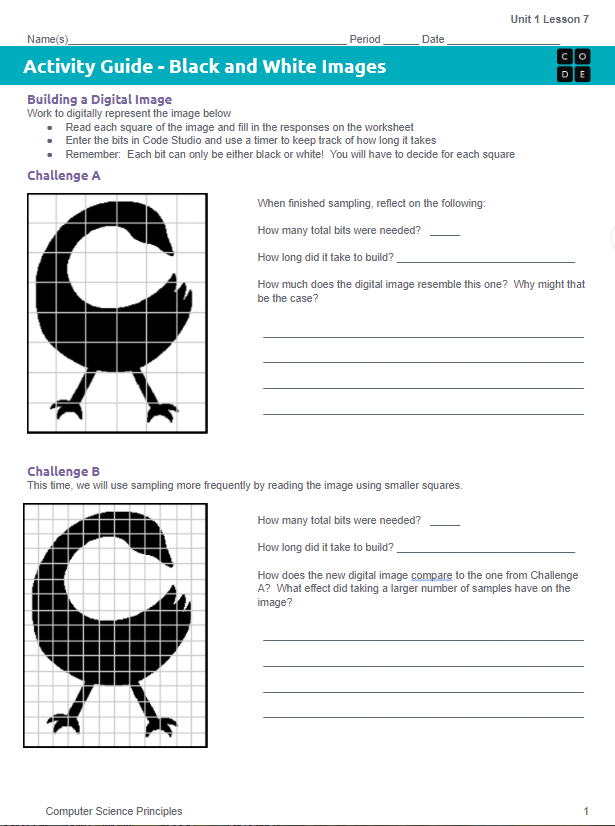
  • Read values from Challenge A (black or white for each square) and input the values into the widget.
  • After Challenge A, answer the questions on the activity guide.
  • Repeat for Challenge B.
  • Answer the questions on the activity guide after each challenge.
  • Answer the question on Dot 5.
Activity Guide worksheet for Unit 1 Lesson 7 showing Challenge A with a coarse grid over a bird silhouette and Challenge B with a finer grid over the same bird silhouette, each with reflection questions about bits needed and build time
Challenge C (Dot 6)

Design Your Own Logo

  • Think about your personal super power. Create the logo that would be on your super-suit.
  • Decide how you are going to sample this logo. Draw the logo on one of the grids in your Activity Guide.
  • Recreate the logo in the Pixelation Widget on Dot 6.
  • Share with a classmate. Do they recognize the logo? Make adjustments if needed.
    • For example: you may need to increase the sampling.
Wrap Up

From Analog to Digital, One Sample at a Time

Wrap Up · Analog vs. Digital

Analog Data vs. Digital Data

Analog data has values that change continuously, or smoothly, over time. Music, the colors of a painting, and the position of a sprinter during a race are all analog. Digital data changes discretely, through a finite set of possible values.
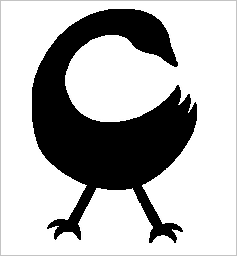
Analog A smooth, solid black silhouette of a bird with no visible pixel grid

A smooth outline with no fixed grid.

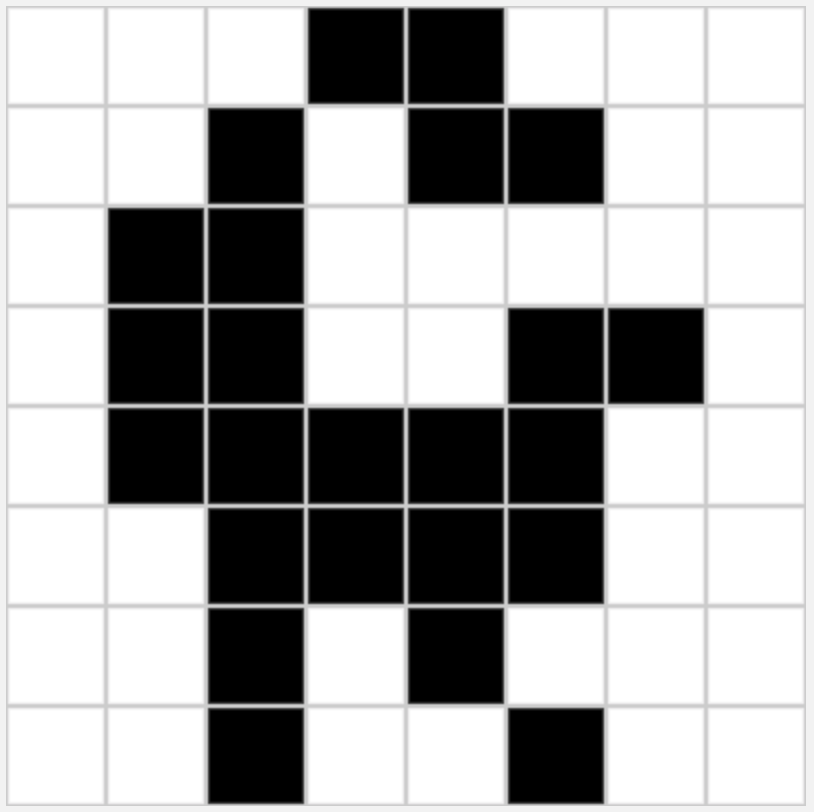
Digital The same bird represented as a grid of black and white squares

The same bird, built from a finite grid of black and white squares.

Wrap Up · Sampling

Sampling: From Analog to Digital

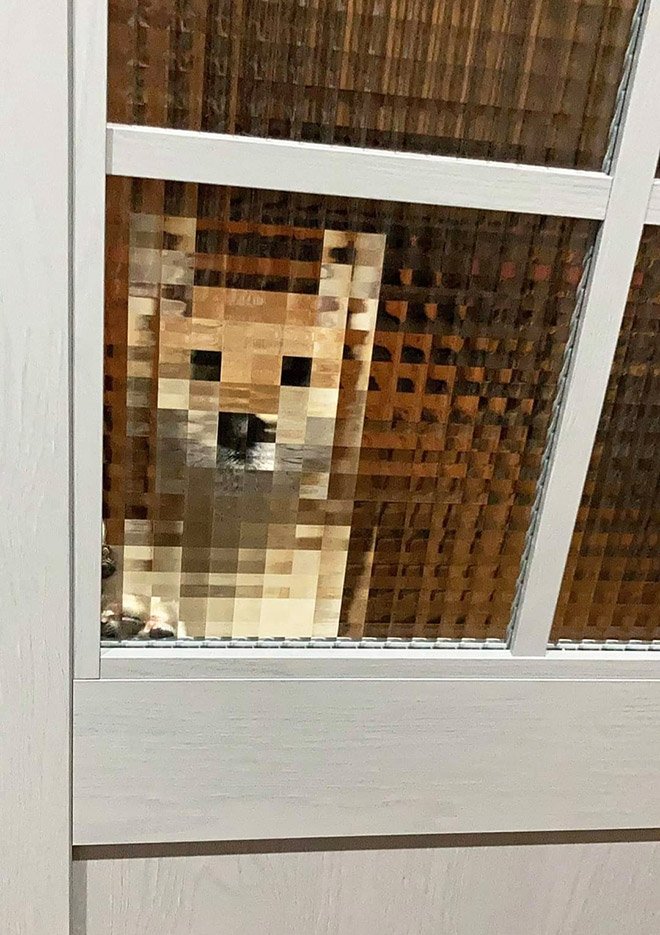
Sampling is a process for creating a digital representation of analog data by measuring the analog data at regular intervals called samples.
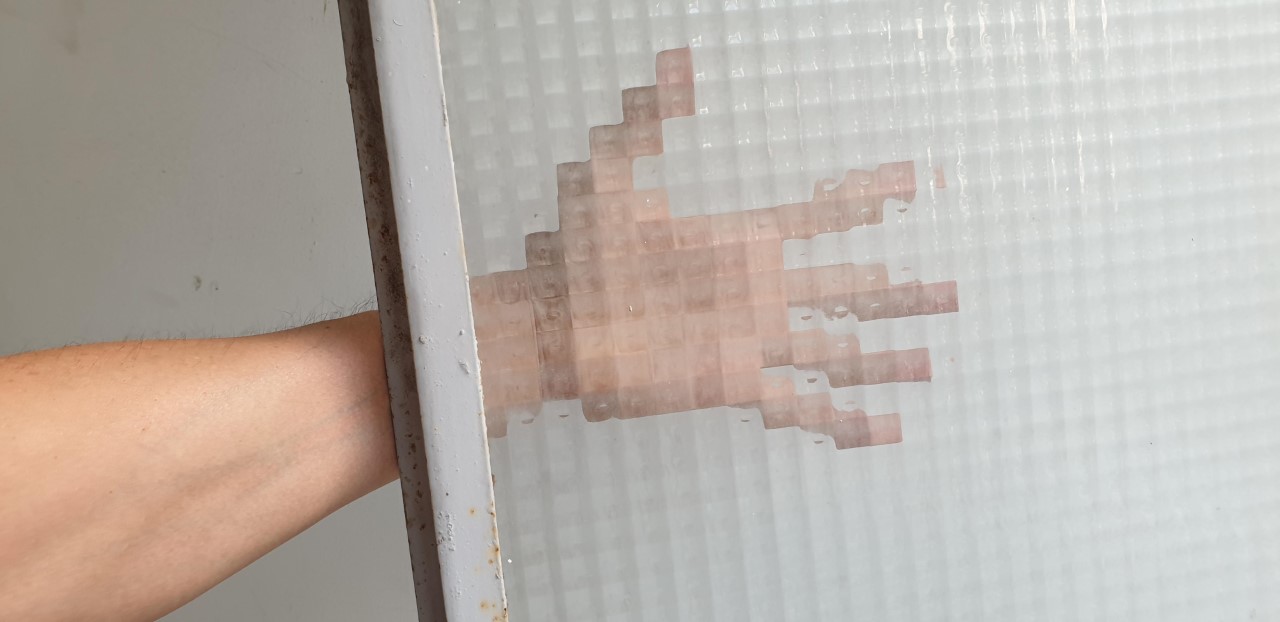
A real arm reaching behind a window made of privacy glass, sampling the analog scene into blocks

Privacy glass samples a real arm.

A dog looks through a similar window, sampling it into visible pixel blocks

The same idea, a dog gets itself sampled.

The bird image built from a grid of black and white squares, one sample per square

↑ each square is one sample

FRQ

Sampling More Frequently

What are the pros and cons of sampling an image more frequently?

Exit Ticket

Finish It Off

Complete dots 7 and 8 on code.org.