Unit 1 · Lesson 10

Lossy Compression

FRQ · Warm-Up

Warm Up

Open the Lossy Compression widget and play with it for a bit.

How is it similar to the compression widget we used last class? How is it different?

Lossy Compression Widget

Open the Widget

Open this new widget in Code Studio. This widget works with pictures instead of text. Click the Run button to start it.

Play with the widget a bit, then we’ll have some questions to answer.

FRQ · Warm-Up

What Do You Notice?

Keep Code Studio open as you answer.

What do you notice about the quality of the image when you compress it?

What do you notice about the compressed file size?

Lossy Compression Widget

Compress Your Own Image

Move to dot two. Try with your own picture. Find an image on the internet using Google Image search or something similar, but keep it school appropriate.

Use the New Image button to load the image you found. You’ll need the image’s URL, and not every image will work.

Play with the compression slider and see how much you can compress your image while keeping it recognizable. When you have it dialed in, share your screen with your partner and see if they can figure out what your picture shows.

Choosing a Compression Level

How Much?

We’re using this image for a particular purpose, and we need to decide how much lossy compression to use. More compression means a smaller file, but less detail.
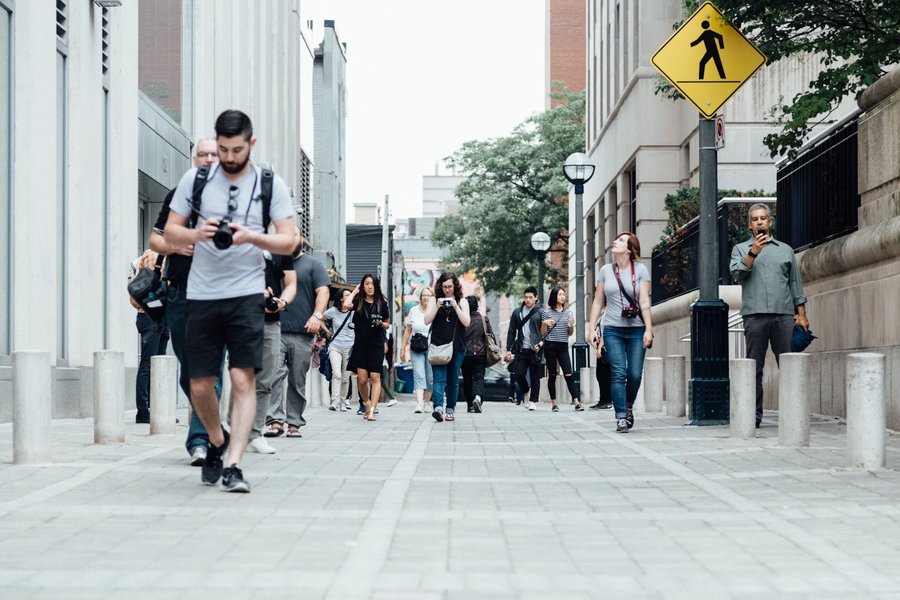
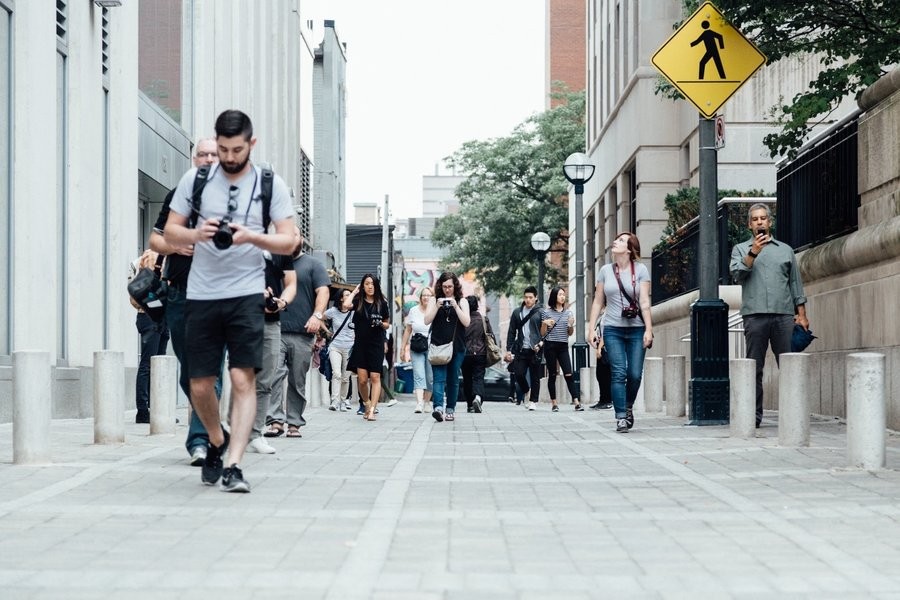
No Compression · Full Detail Original street photo at full size, no compression, sharp detail
A · Original Original street photo, no compression, full detail and sharp edges

No compression

B · Small Same street photo with a small amount of compression, slightly softened

Small amount of compression

C · Medium Same street photo with a medium amount of compression, noticeably blurred

Medium amount of compression

D · Large Same street photo with a large amount of compression, heavily blurred and hard to make out

Large amount of compression

Scenario 1

Texting a Friend

You are sending this as a text message to a friend, but you’ve almost run out of data for the month.

How much compression would you choose?

A Original image, no compression, full detail and sharp edges

No compression
(original image)

B Same image with a small amount of compression, slightly softened

Small
amount of compression

C Same image with a medium amount of compression, noticeably blurred

Medium
amount of compression

D Same image with a large amount of compression, heavily blurred and hard to make out

Large
amount of compression

Scenario 2

Crime-Scene Photography

You are a crime-scene photographer, and this image is part of the official crime-scene photo record.

How much compression would you choose?

A Original image, no compression, full detail and sharp edges

No compression
(original image)

B Same image with a small amount of compression, slightly softened

Small
amount of compression

C Same image with a medium amount of compression, noticeably blurred

Medium
amount of compression

D Same image with a large amount of compression, heavily blurred and hard to make out

Large
amount of compression

Scenario 3

Satellite Intelligence

This image is part of a satellite imaging assignment for the military, used for intelligence gathering.

How much compression would you choose?

A Original image, no compression, full detail and sharp edges

No compression
(original image)

B Same image with a small amount of compression, slightly softened

Small
amount of compression

C Same image with a medium amount of compression, noticeably blurred

Medium
amount of compression

D Same image with a large amount of compression, heavily blurred and hard to make out

Large
amount of compression

Scenario 4

Instagram Story

You are a social media manager posting this to an Instagram story for an event happening right now.

How much compression would you choose?

A Original image, no compression, full detail and sharp edges

No compression
(original image)

B Same image with a small amount of compression, slightly softened

Small
amount of compression

C Same image with a medium amount of compression, noticeably blurred

Medium
amount of compression

D Same image with a large amount of compression, heavily blurred and hard to make out

Large
amount of compression

Scenario 5

Photo Collage

This image will be part of a collage where 100 copies are stitched together to make a larger image.

How much compression would you choose?

A Original image, no compression, full detail and sharp edges

No compression
(original image)

B Same image with a small amount of compression, slightly softened

Small
amount of compression

C Same image with a medium amount of compression, noticeably blurred

Medium
amount of compression

D Same image with a large amount of compression, heavily blurred and hard to make out

Large
amount of compression

Scenario 6

Design Competition

You are a professional photographer submitting this to a design competition where judges will carefully evaluate color and composition.

How much compression would you choose?

A Original image, no compression, full detail and sharp edges

No compression
(original image)

B Same image with a small amount of compression, slightly softened

Small
amount of compression

C Same image with a medium amount of compression, noticeably blurred

Medium
amount of compression

D Same image with a large amount of compression, heavily blurred and hard to make out

Large
amount of compression

Wrap Up

Lossy Compression

Lossy compression: a process for reducing the number of bits needed to represent something in which some information is lost or thrown away. This process is not reversible.

01101100 01101111
01110011 01110011
01101100 01100101
01110011 01110011
compress
01101100 10010111
decompress
01101100 01101111
01110011 01100011
01101000 01100101
01110001 01110011
≠ not identical to the original
FRQ · Exit Ticket

Lossless or Lossy?

When is it a good idea to use lossless compression?

When should you use lossy compression?

What are the important factors in making that decision?